
Kakobuy QC photos & spreadsheet
See the QC photos other Kakobuy buyers received before you order, and browse 5,815 finds that open straight on Kakobuy.

Check the real photos first
Paste a Kakobuy link, any other agent's link or a Taobao, Weidian or 1688 link, and see the QC photos other buyers already received for that exact item.


Finds to start with
See all 5,815 →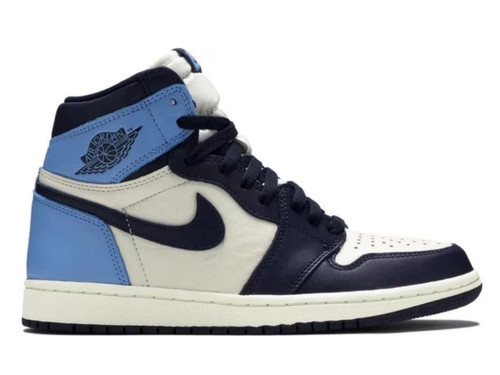
Jordan 1 High Obsidian
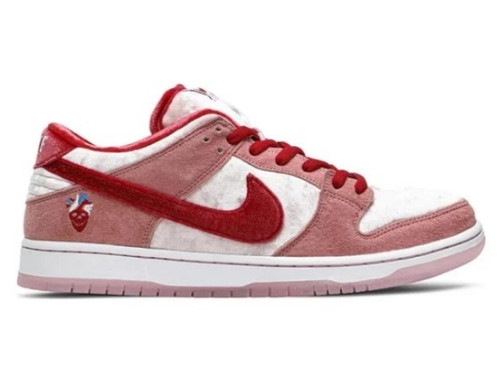
Nike SB Dunk StrangeLove Skateboards
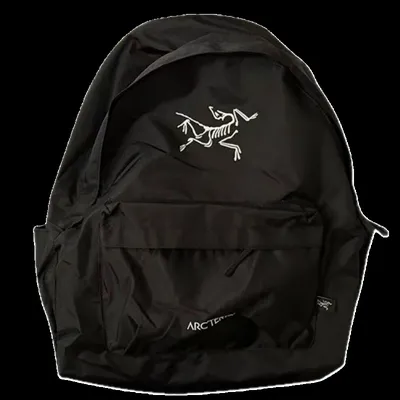
Arcteryx Backpack
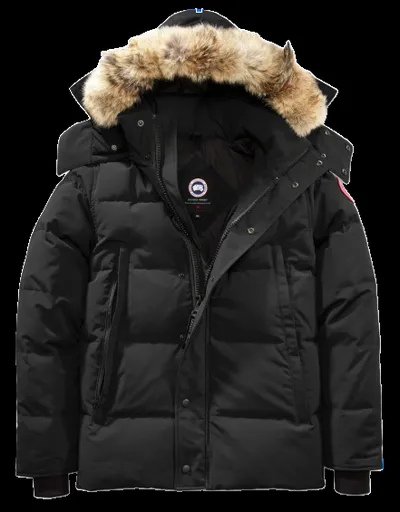
Canada Goose Puffer Jacket
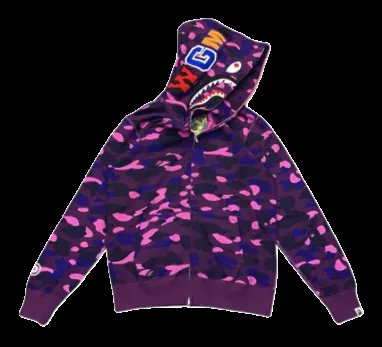
Bape Shark Hoodie
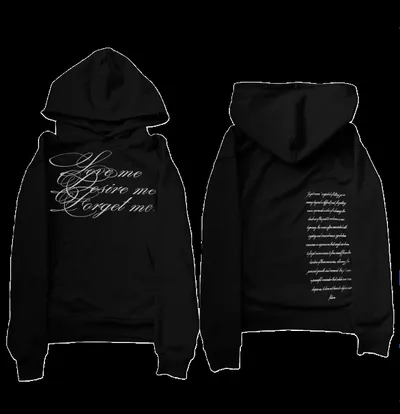
Random cheap hoodie
![Louis Vuitton Sweater 2+ colorways [Premium Quality]](/img?w=400&u=https%3A%2F%2Fi.postimg.cc%2FsDV1N5hT%2Fwdseller1518819354-555d0000018c5114071c0a2301a5-1080-1080-fu-ben.png)
Louis Vuitton Sweater 2+ colorways [Premium Quality]
![Ralph Lauren Sweater 5+ colorways [Premium Quality]](/img?w=400&u=https%3A%2F%2Fi.postimg.cc%2FBQSn5pZ4%2F23.jpg)
Ralph Lauren Sweater 5+ colorways [Premium Quality]
![Nike Tee 10+ colorways [Premium Quality]](/img?w=400&u=https%3A%2F%2Fi.postimg.cc%2FXNPFpWQs%2Fopen1839861941-252808396-2a320000019555de77d80a8133b0-800-800-fu-ben.png)
Nike Tee 10+ colorways [Premium Quality]

hellstar tee

JNCO Denim Jeans

JNCO Denim Jeans

Corteiz Shorts
![Hellstar Shorts 28+ colorways [Premium Quality]](/img?w=400&u=https%3A%2F%2Fi.postimg.cc%2F1XbYJJxM%2F11.png)
Hellstar Shorts 28+ colorways [Premium Quality]
![Essentials Set 20+ colorways [Premium Quality]](/img?w=400&u=https%3A%2F%2Fi.postimg.cc%2FqRkxztYj%2Fopen1615844877-252808396-5bee0000019888cfed780aa0c791-800-800.jpg)
Essentials Set 20+ colorways [Premium Quality]
![Nike Set 10+ colorways [Premium Quality]](/img?w=400&u=https%3A%2F%2Fi.postimg.cc%2Fwj2HSrh4%2F11.png)
Nike Set 10+ colorways [Premium Quality]
How ordering through Kakobuy works
- 1
Find it here
Browse or search 5,815 finds with the seller's photos and a captured price.
- 2
Check the QC photos
See what other buyers received for the same listing before you spend anything.
- 3
Order on Kakobuy
Kakobuy buys the item from the seller and receives it at its warehouse in China.
- 4
Ship your haul
Combine everything you bought into one parcel and ship it home.

New to Kakobuy?
Make your Kakobuy account first
Every find on this spreadsheet opens straight on Kakobuy, so an account is the only thing standing between a find and an order. Creating one through this site's link is free, and it is how the spreadsheet and the QC finder stay free for everyone.
Free to join · independent site, not run by Kakobuy · any new-user offers are Kakobuy's own and shown when you sign up
What is a Kakobuy spreadsheet?
Kakobuy QC photos are the pictures Kakobuy's warehouse takes of an item before it ships. This site shows you the ones other buyers already received for a listing — paste the link into the finder, or open any find in the spreadsheet below it.
The spreadsheet holds 5,815 Weidian finds, each with the seller's photos and captured price, and every one links to Kakobuy's own page for that listing: item/details with the marketplace link inside it.
QC photos belong to the seller's listing rather than to the agent, so photos from buyers on any agent count — the question is always what that seller is shipping right now.
Start with the QC photo finder if you already have a link, or browse the full spreadsheet and the brand pages, which show what each brand actually costs here. Found something on another agent? The Kakobuy link converter turns it into a Kakobuy link.
Kakobuy spreadsheet FAQ
Is this the official Kakobuy website?
No. kakobuyqcphotos.com is an independent spreadsheet for people who shop with Kakobuy. Ordering, payment, warehouse photos and shipping all happen on kakobuy.com; this site is where you find what to order and check its QC photos first.
Are the prices live?
No — they are a snapshot taken when the catalog was last rebuilt (22 Sep 2026). Sellers change prices, so always check the price on Kakobuy before you pay.
How do I order something I found here?
Open the find and press Buy on Kakobuy. The link opens that exact listing on kakobuy.com, where you pick the size and colour, pay, and Kakobuy buys it from the seller for you.
How many finds are in this spreadsheet?
5,815 finds across 11 categories and 99 brands. Prices are captured when the catalog is rebuilt rather than polled live; the current build is from 22 Sep 2026, and every product page says so.
Does it cost anything to use?
No. Browsing, search and the QC finder are free and need no account. The site earns a commission if you sign up to Kakobuy or order through its links, which does not change what you pay.
Where do the QC photos come from?
From public QC databases — pictures agents' warehouses took of items other buyers ordered. They are matched to the seller's listing, not to the agent, so photos taken for someone on another agent still show what that seller ships to Kakobuy buyers.